


Description
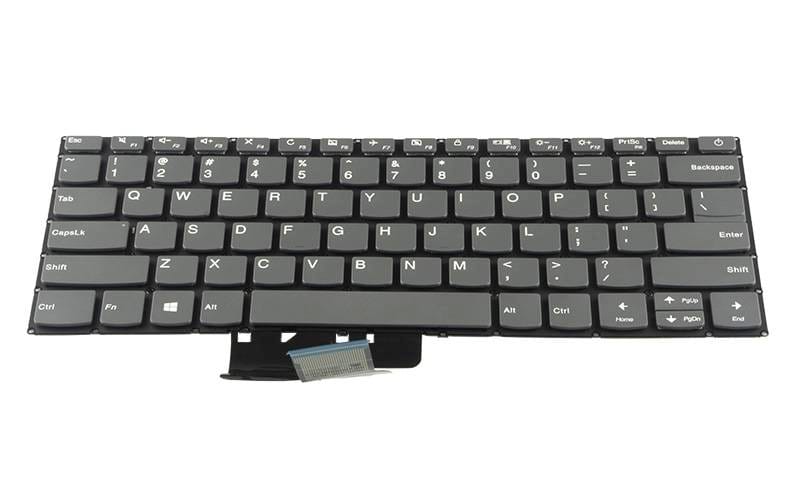
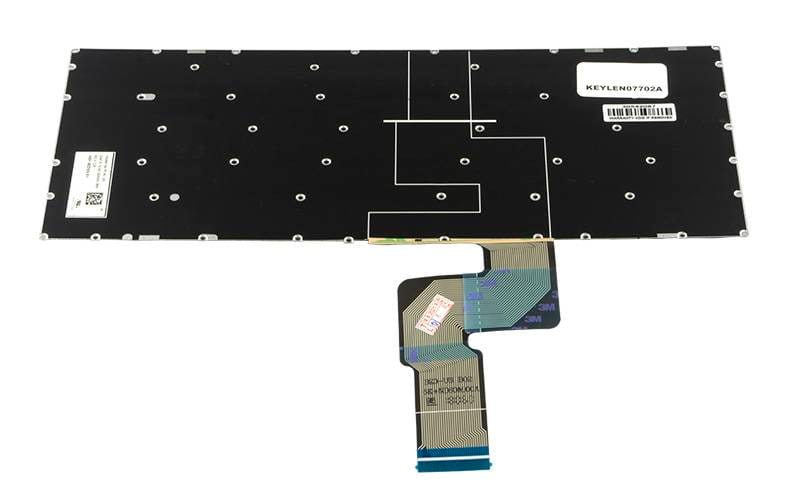
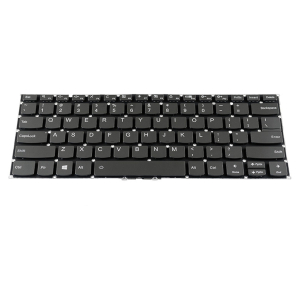
Lenovo IdeaPad 330-14ikb Type 81G2 330-14ast 330-14igm 520S-14ikb Keyboard (power button on top-right corner)
Specifications
Language Layout: English (US)
Colour: Black
With Center track point: No
With Backlit Keys: No
With Frame: No
With power button on top-right corner
Compatible Part Numbers
- SN20M61970
Compatible Devices
- IdeaPad 330-14ikb Type 81G2
- IdeaPad 330-14ast
- IdeaPad 330-14igm
- IdeaPad 520S-14ikb
- IdeaPad S130-14IGM
- IdeaPad S145-14IWL Type 81MU
- IdeaPad S145-14IKB
- IdeaPad 320-14AST
- IdeaPad 320-14IAP
- IdeaPad 320-14ISK
- IdeaPad 320S-14IKB
- IdeaPad S340-14IWL
- IdeaPad S340-14API
- IdeaPad 1-14IGL05 Type 81VU
- IdeaPad 1 14IGL05
- V14-IIL
- V14-IKB
- V14-IWL
- V130-14
- V330-14
Tips for Choosing and Fitting a Replacement Keyboard
Match the details above to your old keyboard: the layout, whether it has backlit keys and whether it has a pointing stick in the middle of the keys. The model sticker under your laptop is the quickest way to confirm the fit, and we are happy to check it for you before you order.
Before you start, switch the laptop off and disconnect the battery, and take photos as you go so reassembly is easy. Handle the ribbon cable gently: lift the connector latch before removing the cable, and make sure the new cable is fully seated and the latch closed before you put the laptop back together.
Reviews
There are no reviews yet.