
A swollen laptop battery is one of the few laptop problems you should never “wait and see” on. If your trackpad has started lifting, the keyboard is bulging, or the bottom panel won’t sit flat any more, the lithium battery inside is very likely swelling. Here’s what is happening, what to do right now, and how to get the correct replacement without guessing.
Signs your laptop battery is swollen
- The trackpad clicks badly or sits higher than the palm rest. On most modern laptops the battery sits directly under the trackpad, so it is often the first thing to move.
- The case is bulging or the bottom cover has a gap. Screws may look like they are being pushed out.
- The laptop rocks on a flat table because the base is no longer flat.
- The keyboard has a raised area or some keys feel stiff.
- The screen won’t close properly on thin laptops where the battery pushes the chassis out of shape.
Battery life usually drops sharply at the same time, but a swollen battery can still appear to charge normally. Don’t rely on the battery percentage to tell you it is safe.
Why laptop batteries swell
Lithium-ion and lithium-polymer cells produce small amounts of gas as they age and break down chemically. Heat, constant charging at 100%, deep discharges and simple age speed this up. Over time the gas builds up inside the sealed cell pouch and it puffs up. In South Africa, laptops that sit plugged in all day and then get hit by power cuts and heat in summer are especially prone to it.
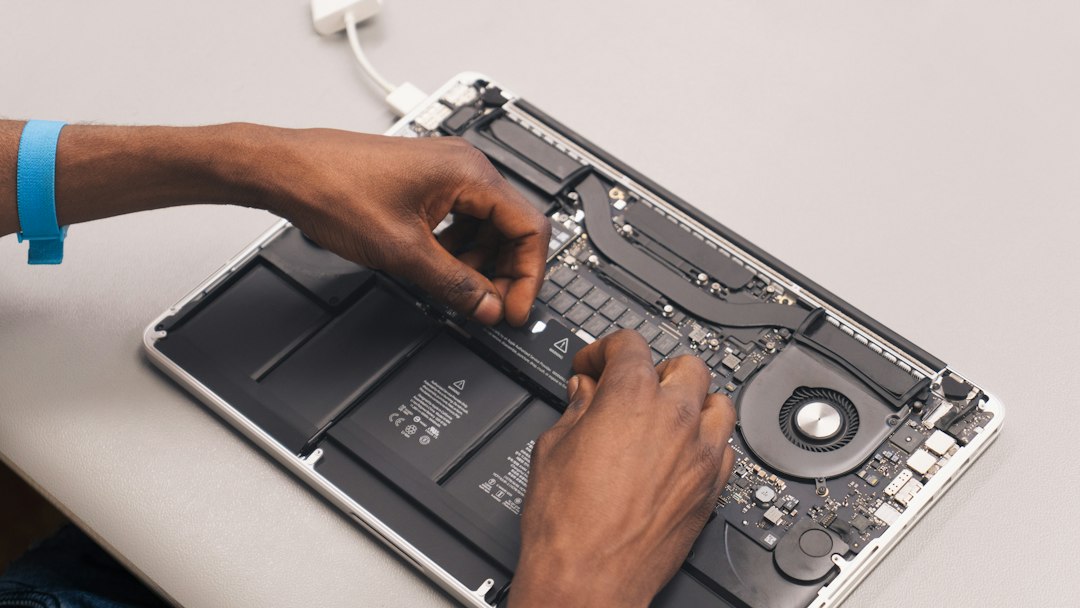
What to do right now (safely)
- Stop using the laptop on battery and stop charging it. Save your work, shut it down and unplug the charger.
- Don’t press, puncture or try to flatten the battery. A damaged lithium cell can overheat or catch fire.
- Move the laptop to a hard, non-flammable surface away from heat, sunlight, bedding and anything that burns.
- Back up your data if the laptop still powers on safely from the charger only, then switch it off. If it gets hot, smells sweet or chemical, or hisses, don’t use it at all.
- Remove the battery only if it’s a simple, external clip-out type. Internal batteries are best removed by a technician, because prying near a swollen cell is risky.
- Never put the old battery in the household bin. Take it to an e-waste or battery recycling drop-off point.
Getting the right replacement battery
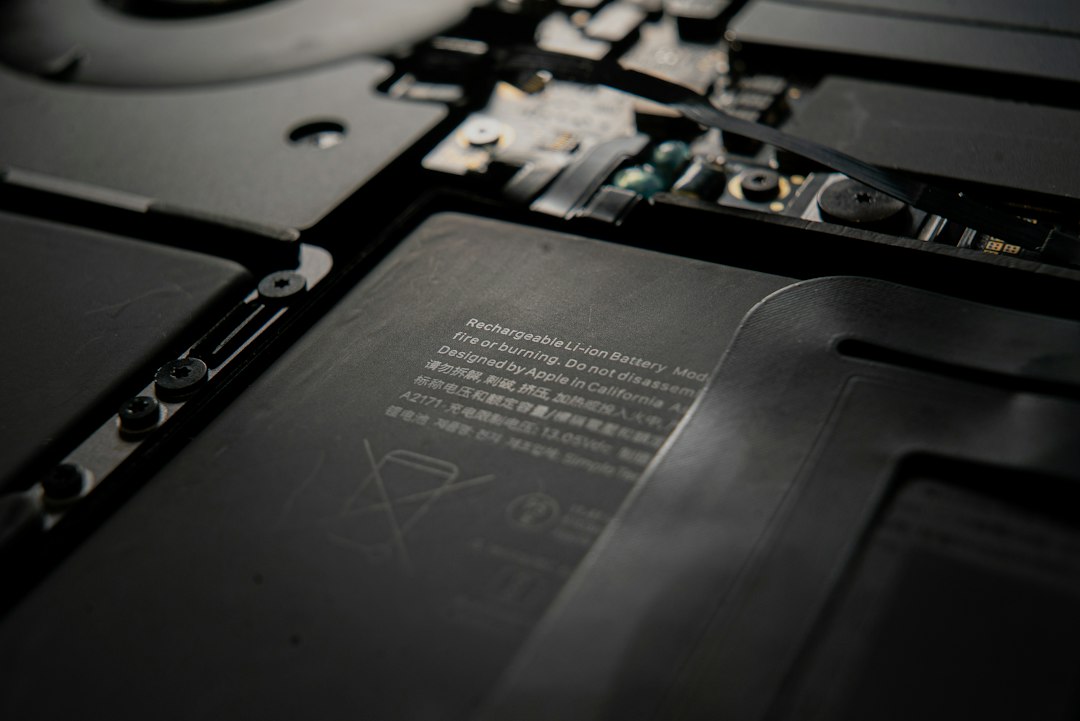
A replacement battery has to match your laptop exactly: the same part number, voltage and connector. The quickest way to get it right is to find one of these:
- The battery part number printed on the old battery’s label (for example 0F3YGT, 00NY493 or C41N1804).
- Your laptop’s exact model from the sticker underneath (for example “HP 250 G7” or “Lenovo ThinkPad T480”), not just the brand.
Then use our free Laptop Parts Finder to match your model to the correct battery, or browse our laptop batteries by brand. If you’d rather not search, send your laptop model or a photo of the old battery’s label to Cody, our WhatsApp helper, on 087 822 1284 and we’ll send you the part that fits, with a link to order.
Why people order their laptop parts from us
Computech-Solutions in Erasmuskloof, Pretoria is rated 4.9 out of 5 from more than 880 Google reviews, and most of those reviews are about exactly this kind of job: finding the right battery or charger quickly. A few recent ones:
“Ordered a laptop battery and it was delivered very quickly. Excellent service and I would recommend them.”
Jim M., Google review
“Emailed to enquire about a laptop charger. The response was almost instant, with a link to exactly what I need.”
Carine M., Google review
“Excellent Service, trusted products and knowledge about the products”
Zayd J., Google review
We deliver anywhere in South Africa, and you’re welcome to collect from our store at 564 Dwyka St, Erasmuskloof.
★★★★★
Rated 4.9 from 880+ Google reviews
Not sure which battery fits? Send us your laptop model and we’ll find it.
Frequently asked questions
Can I keep using a laptop with a swollen battery if it still works?
No. Even if it charges and runs, a swollen battery is damaged and can overheat. Shut the laptop down, unplug it and replace the battery as soon as possible.
Can I run my laptop on the charger with the battery removed?
Many laptops will run on the charger alone once the battery has been removed, but some models won’t boot or will run slower. Removing an internal battery is a job for a technician.
Will a swollen battery damage the rest of my laptop?
It can. The pressure can crack the trackpad, bend the case and damage the keyboard or screen hinges, which is another reason to replace it quickly.
How do I stop my new battery from swelling?
Keep the laptop cool and ventilated, don’t leave it charging on a bed or couch, and if your laptop has a battery-care or charge-limit setting (often 80%), switch it on if you’re mostly plugged in.
