



Description
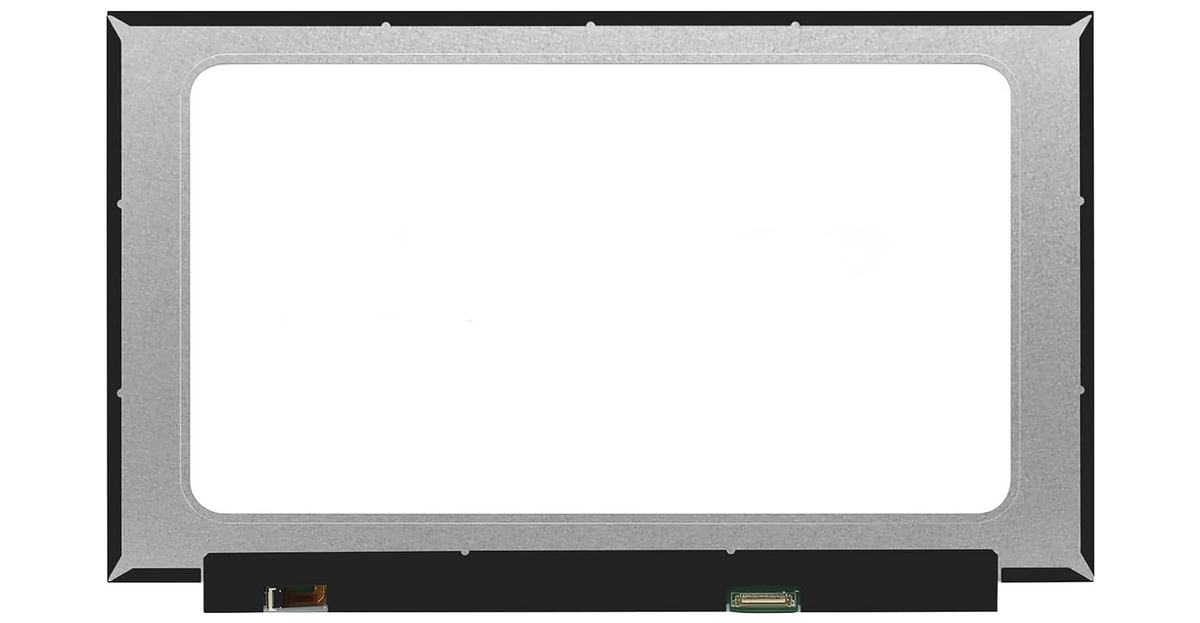
Replacement Screen 14″ ThinkPad E14 T14S Gen 2 ThinkBook 14 G2/3/4/5 Lenovo
Compatibility
This screen is compatible with some ThinkPads ThinkBooks and IdeaPads.
To know if it’s compatible with yours please compare images and part numbers.
If your screen looks similar and has same part number as one listed below, it will fit.
NONE TOUCH MODELS ONLY
Fits models below
| Lenovo ThinkPad E14 Gen 2 | Lenovo ThinkPad T14 Gen 2 | Lenovo ThinkPad T14S Gen 2 |
| Lenovo ThinkBook 14 G2 | Lenovo ThinkBook 14 G3 | Lenovo ThinkBook 14 G4 |
| Lenovo ThinkBook 14 G5 | Lenovo V14 G2 | Lenovo V14 G3 |
| Lenovo V14 G4 | Lenovo V14 G5 |
Part Numbers
| 5D10V82390 | 5D10W87242 | 5D11K86985 | 5D11D19219 |
| 5D11F23091 | 5D11F99312 | 5D10W87245 | 5D10W87246 |
| 5D11A41184 | 5D11C67446 | 5D10W87242 |
Non-touch screen (Not a touch-screen)
Size
14.0″ WideScreen
Resolution
FHD (1920×1080)
Surface Type
Matte
Video Connector
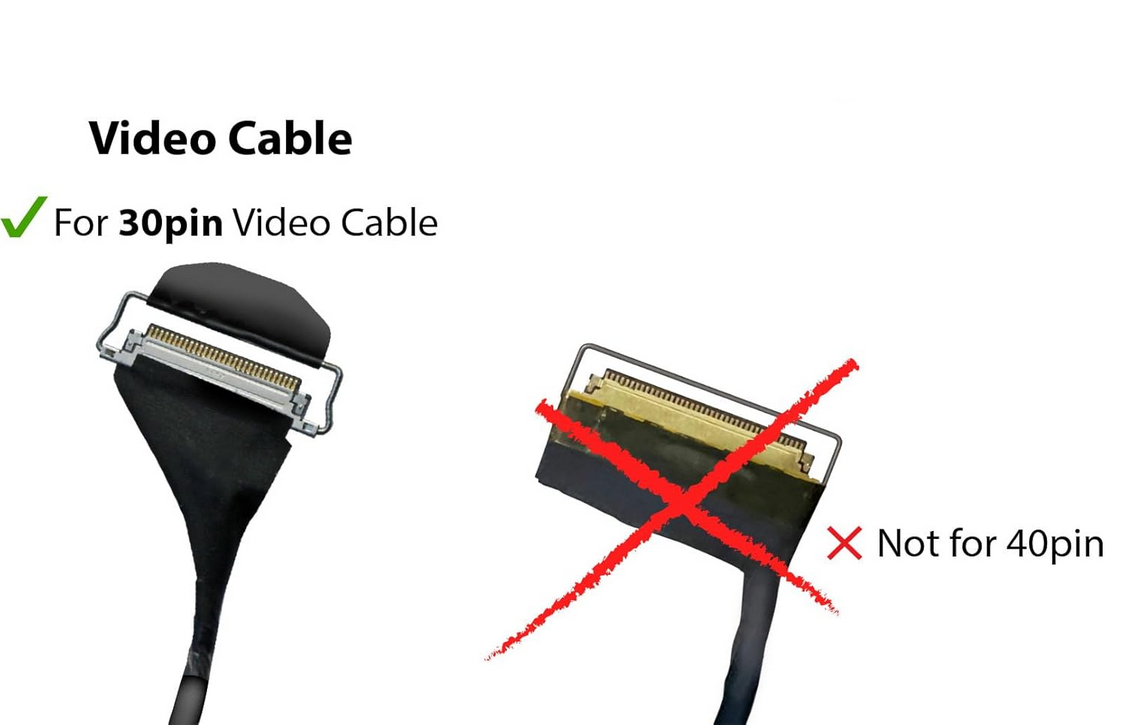
30 pin, Width: 0.75″ (19mm)
Optical Technology
IPS LCD
What’s in the Box
Replacement Screen 14″ ThinkPad E14 T14S Gen 2 ThinkBook 14 G2/3/4/5 for Lenovo
Tips for Matching and Fitting a Replacement Laptop Screen
The part number on the label on the back of your old screen is the surest match: any part number listed above will fit. If you can’t read the label, compare the size, resolution, connector (number of pins and where the socket sits), mounting brackets and surface finish with the details above, and check whether your current screen is a touch screen. Send us the part number or your laptop model and we’ll confirm the fit before you order.
When fitting, switch the laptop off and disconnect the battery first. Lift the connector tape gently, keep fingers off the panel surface, and test the new screen before you clip the bezel back on.

Reviews
There are no reviews yet.