

Description
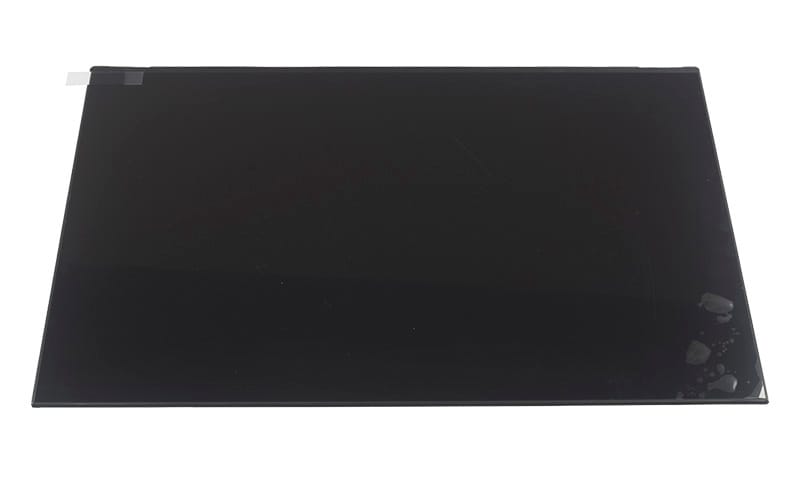
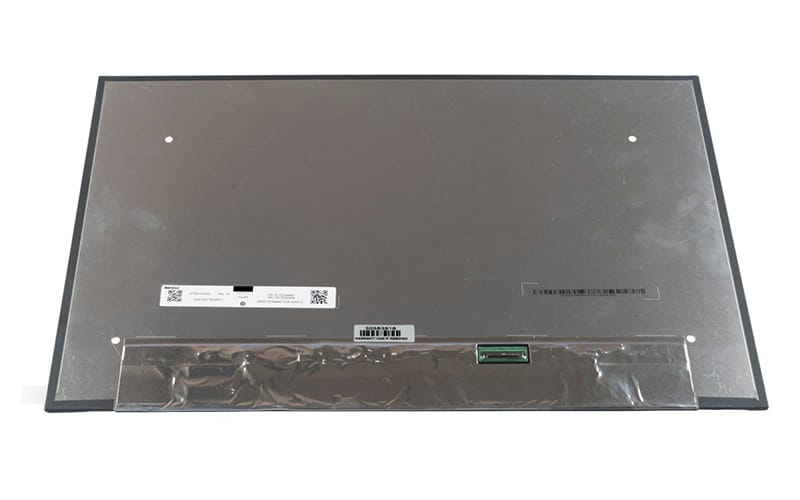
16.0″ FHD+ LCD Screen – 1920X1200 – Matte Surface – 30-Pin eDP Bottom-Right Connector – No Mounting Bracket – No Bottom Tab – 349.68mm Wide
Specifications
Screen Diagonal – 16.0″
Resolution – FHD+ (1920X1200)
Surface Finish* – Matte
Connector Socket Type -30-Pin eDP
Connector Position – Bottom-right
Mounting Brackets – No
Built-In Touch Screen – No
Sreen Dimension : 349.68mm
Compatible Part Numbers
- LP160WU1(SP)(F1)- LP160WU1-SPF1
- Innolux
- N160JCA-EEL REV.C1
- AUO
- B160UAN03.2
- Lenovo
- 5D10V82439
- 5D10V82440
- 5D10V82408
- 5D11U13951
- 5D11U28577
- 5D10V82409
- 5D10V82406
- 5D10V82407
- NE160WUM-N62
- NE160WUM-N64
- NV160WUM-N43
Compatible Devices
- Vostro 5620
- Lenovo
- ThinkPad E16 Gen 1 Type 21JN
- ThinkPad E16 Gen 1 Type 21JQ
Tips for Matching and Fitting a Replacement Laptop Screen
The part number on the label on the back of your old screen is the surest match: any part number listed above will fit. If you can’t read the label, compare the size, resolution, connector (number of pins and where the socket sits), mounting brackets and surface finish with the details above, and check whether your current screen is a touch screen. Send us the part number or your laptop model and we’ll confirm the fit before you order.
When fitting, switch the laptop off and disconnect the battery first. Lift the connector tape gently, keep fingers off the panel surface, and test the new screen before you clip the bezel back on.