
A laptop keyboard that drops letters, types on its own or has a row of dead keys makes the whole laptop feel broken. The good news: it’s often a quick software fix, and when it isn’t, a replacement keyboard is one of the more affordable laptop repairs. Here’s how to tell which one you’re dealing with, and how to order the right keyboard the first time.
Try these quick fixes first
Before you order anything, rule out the simple causes. These take five minutes and solve a surprising number of “broken” keyboards:
- Restart the laptop. A full restart (not sleep) clears a stuck driver or a key that Windows thinks is still held down.
- Check Num Lock and Fn Lock. On many laptops, Num Lock turns letters like U, I, O, J, K and L into numbers. Fn Lock swaps the top row between F1 to F12 and media keys.
- Switch off Filter Keys and Sticky Keys. In Windows, go to Settings, Accessibility, Keyboard. Filter Keys can make the keyboard ignore short key presses.
- Reinstall the keyboard driver. Open Device Manager, expand Keyboards, right-click your keyboard, choose Uninstall device, then restart. Windows reinstalls it automatically.
- Plug in a USB keyboard. If the external keyboard works perfectly but the laptop’s own keys still don’t, you’ve confirmed it’s the laptop keyboard itself.

Signs it’s the keyboard, not the software
- A whole row or block of keys stops working together. Keys share circuits inside the keyboard, so when one circuit fails, its neighbours go with it.
- Keys type by themselves or repeat without being pressed.
- Something was spilled on it, even if it worked fine for a few days afterwards. Sugary drinks in particular keep doing damage as they dry.
- Keys are physically broken, missing, or don’t spring back.
- The problem is the same in the BIOS or setup screen, before Windows has even started.
Spilled something just now? Switch the laptop off straight away, unplug the charger, turn it upside down to drain and let it dry for at least 48 hours before you try it again. Don’t use a hair dryer on high heat.
How to order the right replacement keyboard
Laptop keyboards look alike, but small differences decide whether one fits. Check these four things:
- Your exact laptop model or the keyboard’s part number. The model is on the sticker underneath the laptop (for example “HP 250 G7” or “Lenovo IdeaPad 330-15IKB”). The keyboard’s own part number is printed on a label on its back, once it’s out.
- US or UK layout. Look at the Enter key. A wide, flat Enter key on one row is the US layout. A tall Enter key that spans two rows is the UK layout. Many laptops sold in South Africa use the US layout, but check yours.
- Backlit or not. If your keys light up, you need a backlit replacement. It uses a different connector and won’t light up otherwise.
- Keyboard only, with frame, or with top case. On many newer laptops, the keyboard is riveted into the palm rest. Those are sold as a “top case” assembly with the keyboard already fitted.
The quickest way to get it right is to type your laptop model or the keyboard’s part number into our free Laptop Parts Finder and choose Keyboards. Prefer not to search? Send a photo of the sticker under your laptop to Cody, our WhatsApp helper, on 087 822 1284 and we’ll find the keyboard that fits.
Replace it yourself, or get help?
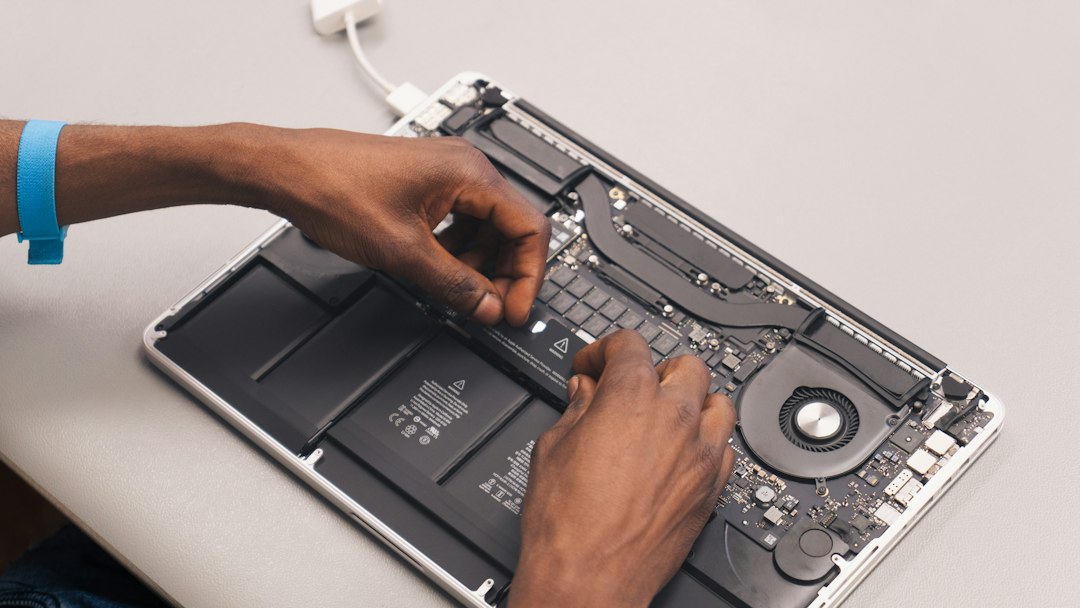
On older laptops the keyboard often clips in from the top and swaps in a few minutes with a plastic pry tool. On thin, modern laptops it can mean removing the battery, the motherboard and dozens of screws. If you’re not comfortable working inside a laptop, a local technician can fit the part you order from us.
What our customers say
Computech-Solutions in Erasmuskloof, Pretoria is rated 4.9 out of 5 from more than 880 Google reviews. A few recent ones:
“Great and fast service from the team, had the exact battery I needed and at a great price too!”
Johann V., Google review
“Super fast service – reply, invoicing and delivery was painless and prompt”
Fiona B., Google review
“Exceptional and timely service. Responds quickly on queries on WhatsApp and emails.”
Nkululo M., Google review
We deliver anywhere in South Africa, and you’re welcome to collect from our store at 564 Dwyka St, Erasmuskloof.
★★★★★
Rated 4.9 from 880+ Google reviews
Not sure which keyboard fits? Send us your laptop model and we’ll find it.
Frequently asked questions
Can I replace just one broken key?
Sometimes. If only the keycap has come off and the clip underneath is intact, it can often be clicked back on. If the clip or the key’s contact is damaged, the whole keyboard usually needs replacing, because single keys aren’t sold separately for most laptops.
Will a keyboard for a similar model fit?
Not reliably. Laptops in the same series can use different keyboards, with different connectors, screw holes or backlighting. Match the exact model or the part number.
Can I just use a USB keyboard instead?
Yes, as a short-term fix. But a faulty internal keyboard can still send random key presses, so replacing it is the proper solution if keys are typing on their own.
How do I know if my keyboard is backlit?
Look for a key with a small light symbol, often on F5, F9, F10 or the space bar, and press it together with Fn. If the keys light up, your laptop has a backlit keyboard.
